
Why Your Website Still Can't Take a Payment
A business pays to get a website built. The homepage looks right, the products are listed with real photos and prices, and the whole thing goes live. Then someone tries to buy something, and there is nowhere on the site to actually pay. So a phone number goes up instead. Send the money here, then message to say you sent it. A customer who wants to buy places an order and waits, and the person running the shop waits too, checking their phone every few minutes to see whether anything has come in.
When the money does arrive, the work still isn't finished. Someone has to match a mobile money notification to the right order, open the site, find that order, and mark it paid by hand. Done a dozen times a day it's tedious but manageable. Done while also serving people in person, orders start slipping: one gets missed, one gets marked paid twice, one customer sends the money to a number typed wrong and nobody notices until they call asking where their order is. Enough businesses look at all of that, decide it costs more than it's worth, and quietly stop selling online altogether, even after paying to build a site that could have done it.
A gap that has nothing to do with the website
None of this is really a website problem, even though it feels like one. Showing a product with a price is the easy part. Any site can do that. Taking the payment for it is a separate, harder job: checking that the money actually moved, matching it to the right order, and updating that order the moment it's confirmed, all without a person standing in the middle doing it by hand. A site that looks finished can still be missing exactly that piece, because it was never really part of what "building a website" means.
So the workaround becomes the business's actual payment system, whether anyone planned it that way or not: a phone number in a product description, a customer's trust that someone is watching for the message, and a person who has to notice, check, and update, every single time. It works, in the sense that money does eventually change hands. It doesn't scale, and it doesn't feel like a real store to the customer on the other end of it, watching an order sit there with no confirmation.
One plugin, the wallets customers already carry
Jokoor Pay for WooCommerce is now live on the WordPress plugin directory. It adds a payment method to checkout that connects a store to Wave, APS Wallet, QMoney, Yonna Wallet and Sutura Money, the mobile money wallets a customer is likely already carrying, plus Visa and Mastercard, including cards issued outside The Gambia. A customer picks the option they already use, pays, and the order updates itself the moment the payment is confirmed. No phone number in a product description, no one checking a phone every few minutes, no order sitting there unmarked until someone remembers to look.
Wave is still Wave. A Visa card is still issued by a bank and carried by Visa's own network. Jokoor doesn't provide any of those payment methods itself. What the plugin does is connect a WooCommerce store to all of them, processing the payment on the store's behalf so the business doesn't have to build or ask for a separate arrangement with each wallet and card scheme on its own. One checkout, one settings screen, one API key, and the order gets marked paid the moment a payment clears, without anyone checking a phone to do it.
What it means for the shop
For the person running the shop, this shows up as fewer things to remember. No phone to check between customers. No spreadsheet of who has and hasn't paid yet. An order arrives already marked, the same way it would if a card machine had taken it in person. That's really the whole point: a payment on a website should work the same way a payment at a till does, confirmed on the spot, with nobody standing in the middle doing the checking by hand.
If your store has been running on a phone number and a manual check, or you never finished setting up payments because of exactly this problem, the rest of this article is the step by step guide for adding it. It takes about the same amount of time as installing any other WordPress plugin.
Setting it up
1. Install the plugin
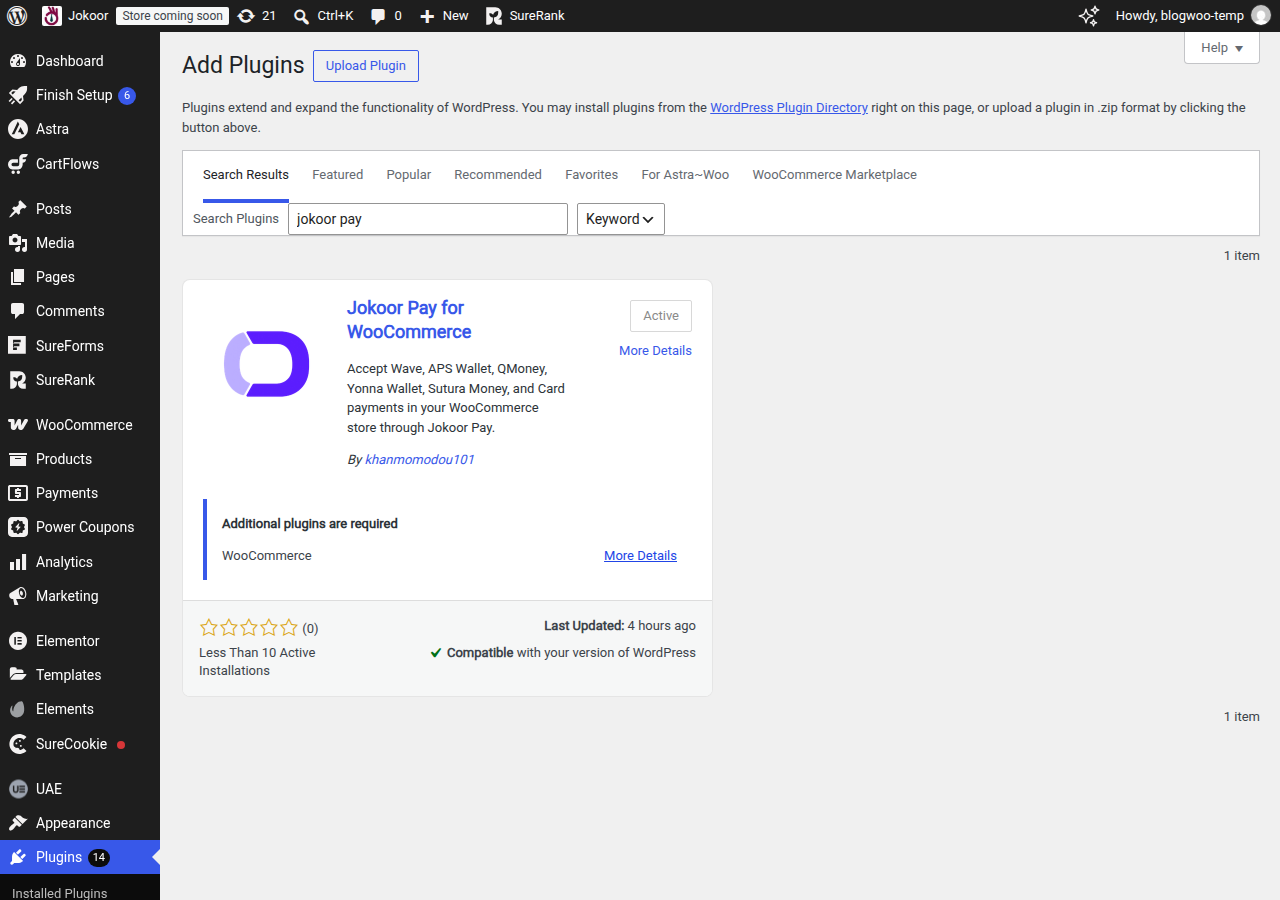
From your WordPress admin, go to Plugins, then Add New, and search for "Jokoor Pay". Install it and activate it, the same way you would any other plugin.
2. Get your API key from the Jokoor dashboard
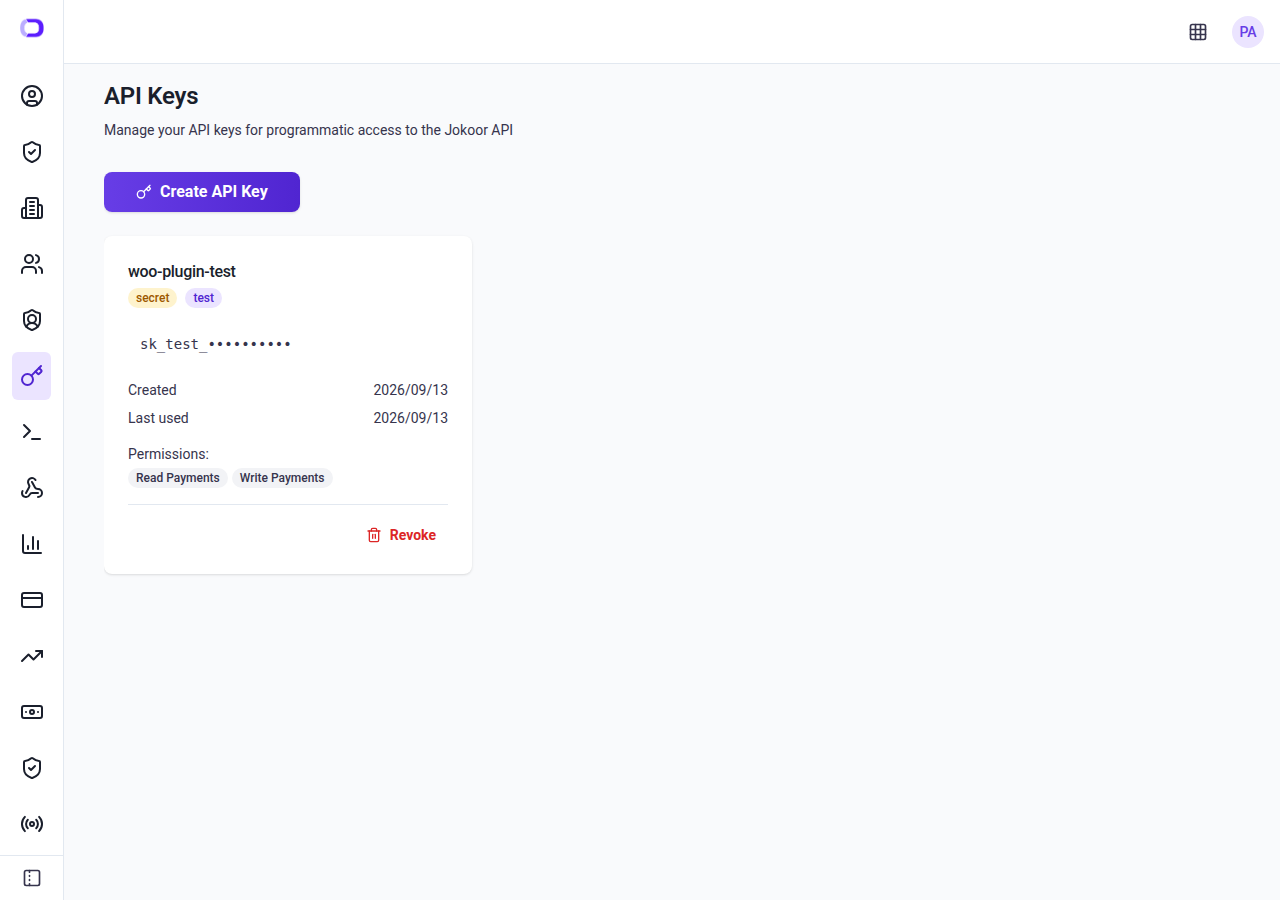
Sign in to your Jokoor account and open API Keys. Create a key if you don't already have one, and copy it. This is the key that tells Jokoor Pay which business the payments belong to.
3. Paste it into the plugin settings
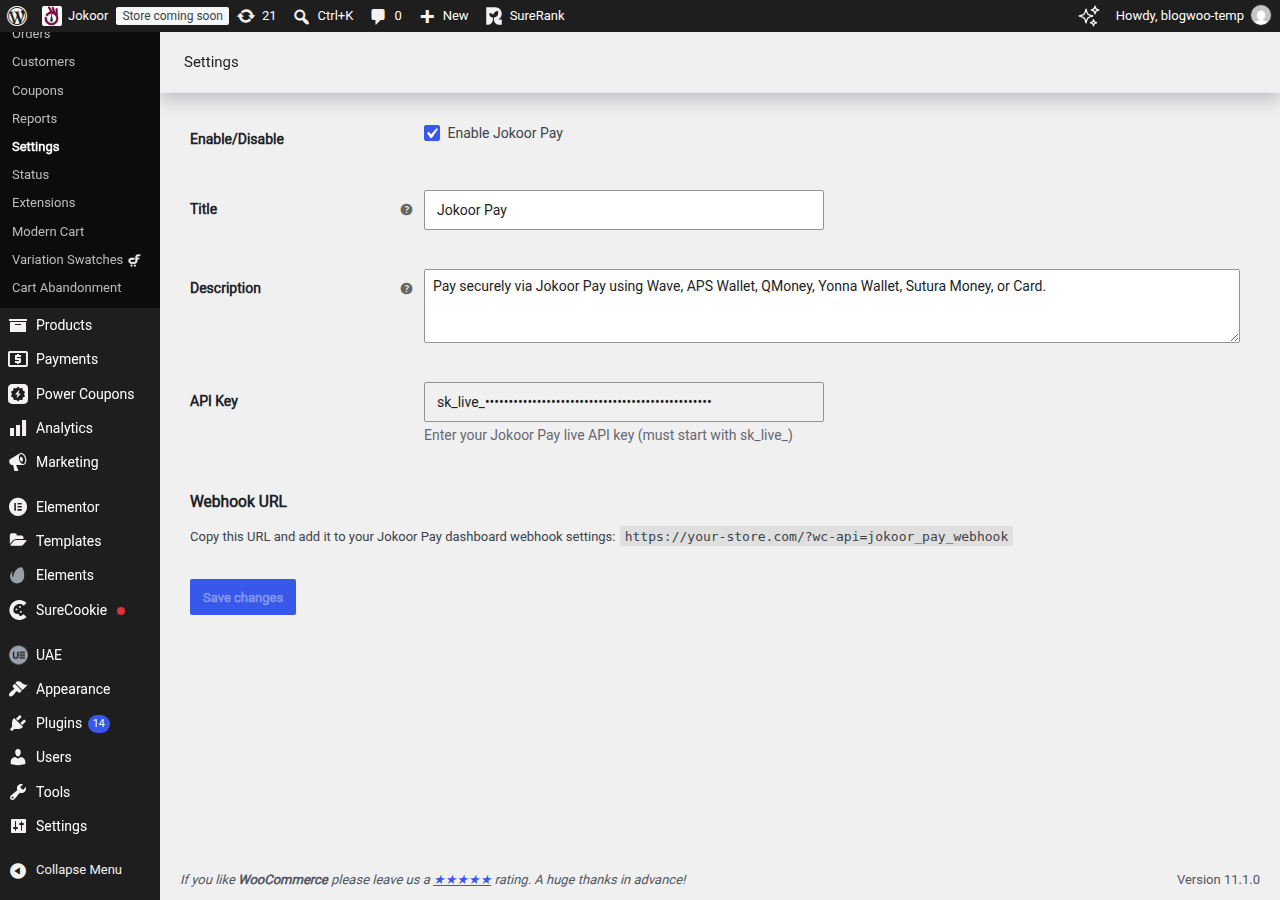
Back in WordPress, go to WooCommerce, then Settings, then Payments, and open Jokoor Pay. Paste the key into the API Key field and save changes.
4. What the customer sees
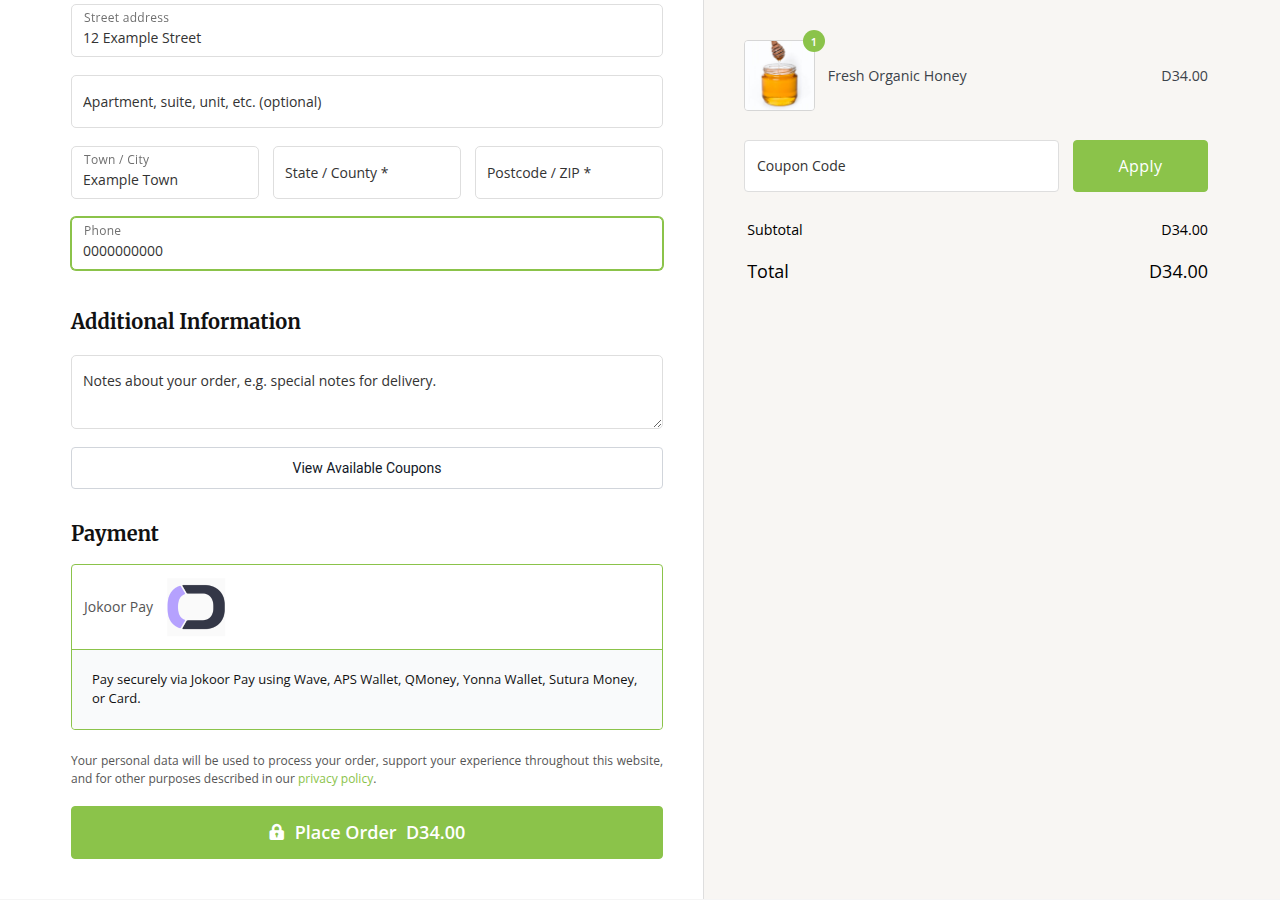
At checkout, Jokoor Pay appears as a payment option next to whatever else the store offers. The customer picks it, chooses the wallet or card they want to pay with, and enters those details on Jokoor Pay's own checkout page, not on your store.
5. The order updates on its own
Once the payment is confirmed, the order changes status by itself, the same way it would if a card machine had taken the payment in person. Nobody has to open a phone, match a notification, or click anything to mark it paid.
That's it
Five steps, and the plugin does the checking from there. Install Jokoor Pay for WooCommerce from the plugin directory, or see what Jokoor Pay looks like for a business like yours. If you get stuck partway through, call +220 2023700.